Malvern Archers
A friendly archery club for recurve, barebow, longbow and compound archers
Make an Outdoor Range Booking
If you already have access:
Please click here to make a booking. Bookings can only be made by current members or their parents.
If you do not already have access
Please read the instructions on this page and then fill in this form. Access should be granted within two days.


Range Booking Rules & Information
You must book a time slot in a lane before shooting.
The following rules for the booking system apply:
- You must have a Google account to access the booking system, if you don’t have one, the instructions lower down will help you create one.
- ALL lost arrows must be recorded in the booking system on the day they are lost.
Two additional sheets exist in the booking system is for:
- Recording lost arrows.
- Coach attendance. ( both for Malvern Archers and non Malvern archers coaches)
If you have any concerns about your safety and welfare, or that of others, with these rules or whilst at Manor Park, please contact the Club Welfare Officer.
Creating a Google Account
- Click this link to the Google Account creation page.
- Enter your name.
- Click Use my current email address instead.
- Enter your current email address (your email address that you want to use if you have more then one).
- Enter and confirm a suitable password of your choice.
- Click Next.
- Verify your email address with the code sent to your existing email.
- Click Verify.
- Notify the club by filling in the form at the top of the page, or by emailing secretary@malvernarchers.co.uk to tell us that you have a new Google account and supply the email you have used. You will then be added to the booking system.
Booking Instructions
- Once you have opened the Malvern Archers Range Booking Times spreadsheet in Google Sheets, you should see the following:
- To resize the spreadsheet to better fit your device, use the Zoom as appropriate.
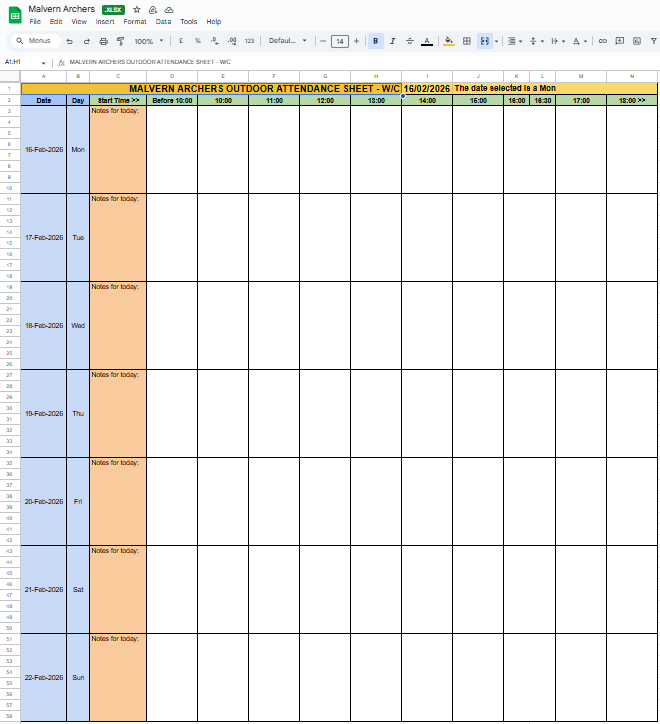
Two or three weeks are available for booking, displayed in the sheet tabs along the bottom. Select the tab you require.
- The dates are listed in the rows on the left and the current day is highlighted in yellow. The time slots are shown in the column headings. Decide on a day & time for your booking and enter your name in the corresponding cell. For more than one person please separate the names by the / symbol. .
- To close the spreadsheet, simple close the browser window or navigate away from the page.
Lost Arrow Log
- In the Malvern Archers Range Booking Times spreadsheet, to log a lost arrow, navigate to the Lost Arrow Log sheet using the sheet tabs at the bottom.

- Double-click in the Date cell and choose your date from the date picker calendar.
- Complete the rest of the details as per the example and notify the grounds officer by emailing grounds@malvernarchers.co.uk. Arrows will be retrieved where possible during maintenance sessions.

- To close the spreadsheet, simply close the browser window or navigate away from the page.
Coach Attendance Log
- In the Malvern Archers Range Booking Times spreadsheet, to log coach attendance, navigate to the Coach Attendance sheet using the sheet tabs at the bottom.

- Double-click in the Date cell and choose your date from the date picker calendar.
- Complete the rest of the details as per the example. State whether they are Malvern Archers (MA) or external (EXT) coaches.

- To close the spreadsheet, simple close the browser window or navigate away from the page.
Outdoor range attendance

 Malvern Archers
You must be logged in to post a comment.